Clients & CRM
Know which clients need you before they tell you
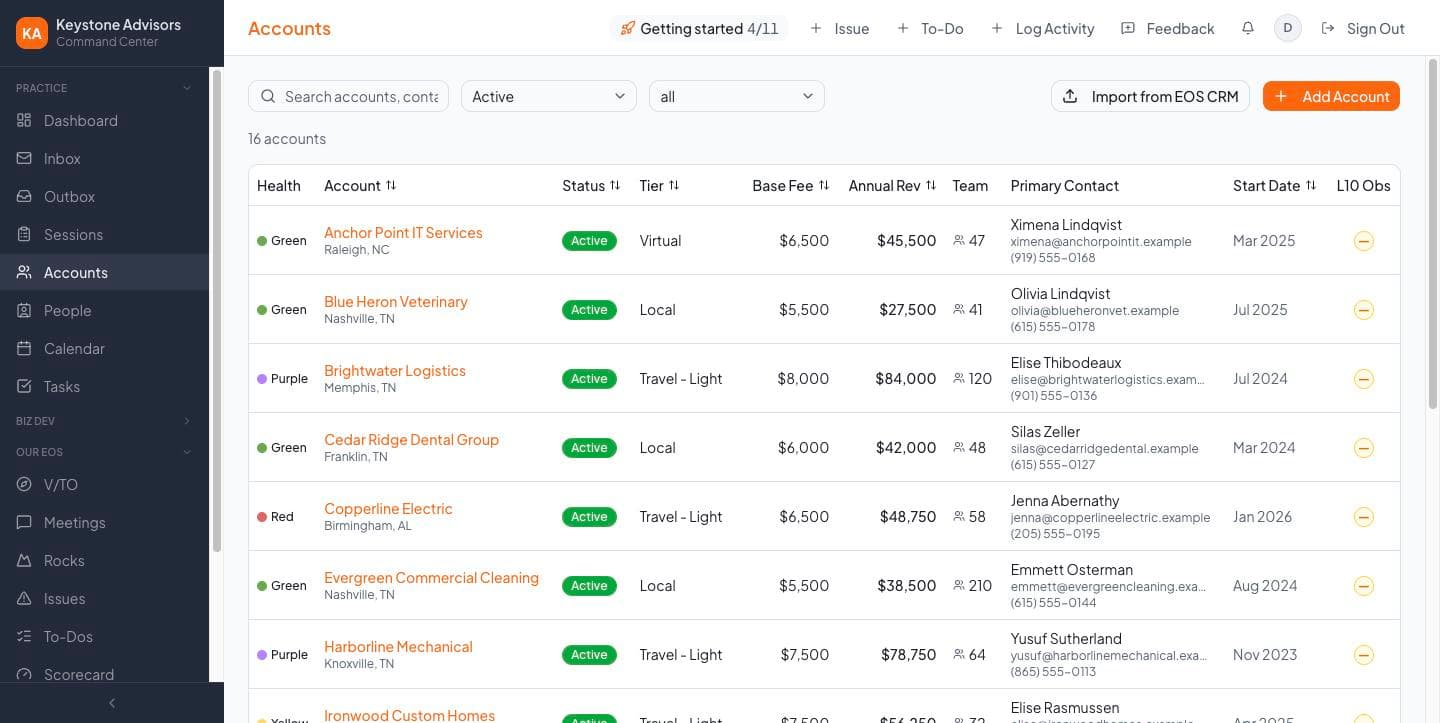
Every account's contacts, sessions, emails and invoices on one page. A traffic light from each session's scores shows who's thriving and who's at risk.
For EOS Implementers
Clients, sales pipeline, tasks, sessions, email and invoicing — built by an EOS Implementer, for EOS Implementers. So your days go to the room, not the admin.
Free during the beta. Implement well.
Who it's for
See your quarter at a glance: who's next, who needs attention, and what you've earned.
Run the business side — scheduling, invoicing, follow-ups — and decide who sees what.
Handle calendars, contacts and follow-ups, with access to just the pages they need.
Why one place
Most practices run on a CRM, a task app, a calendar, an inbox, a spreadsheet and QuickBooks — and the practice lives in the gaps between them. Venzy puts it on one record: open a client and their deals, sessions, tasks, emails and invoices are already there.
Clients, contacts and a sales pipeline from first call to Focus Day.
To-dos tied to the client and session they're about.
Read and reply next to the client you're emailing.
Every session, travel day and protected day together.
Sessions invoice through QuickBooks, and payments track themselves.
Capacity, forecast and the EOS Life you're aiming for.
How it connects
Clients & CRM
Every account's contacts, sessions, emails and invoices on one page. A traffic light from each session's scores shows who's thriving and who's at risk.
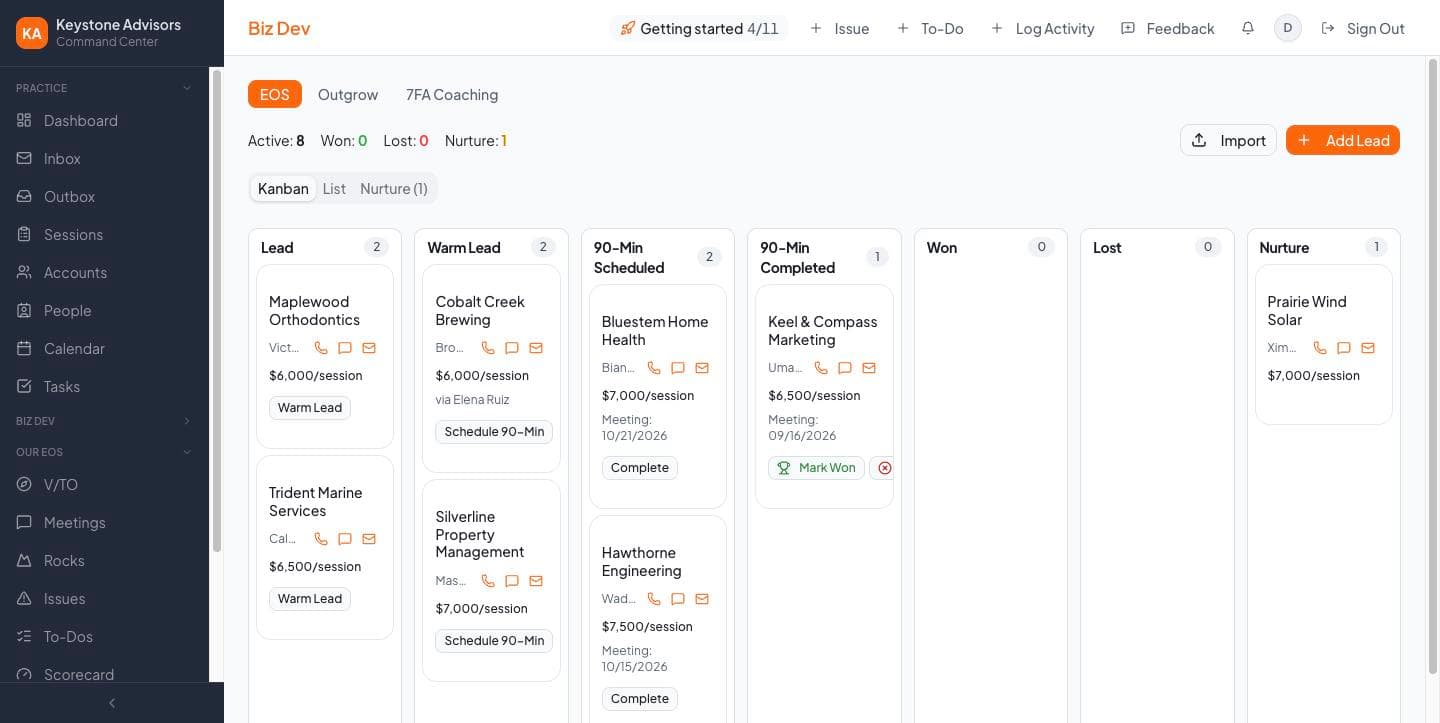
Sales pipeline
Track prospects through each stage, schedule the 90 Minute Meeting, and convert a prospect to a client without re-typing a thing.
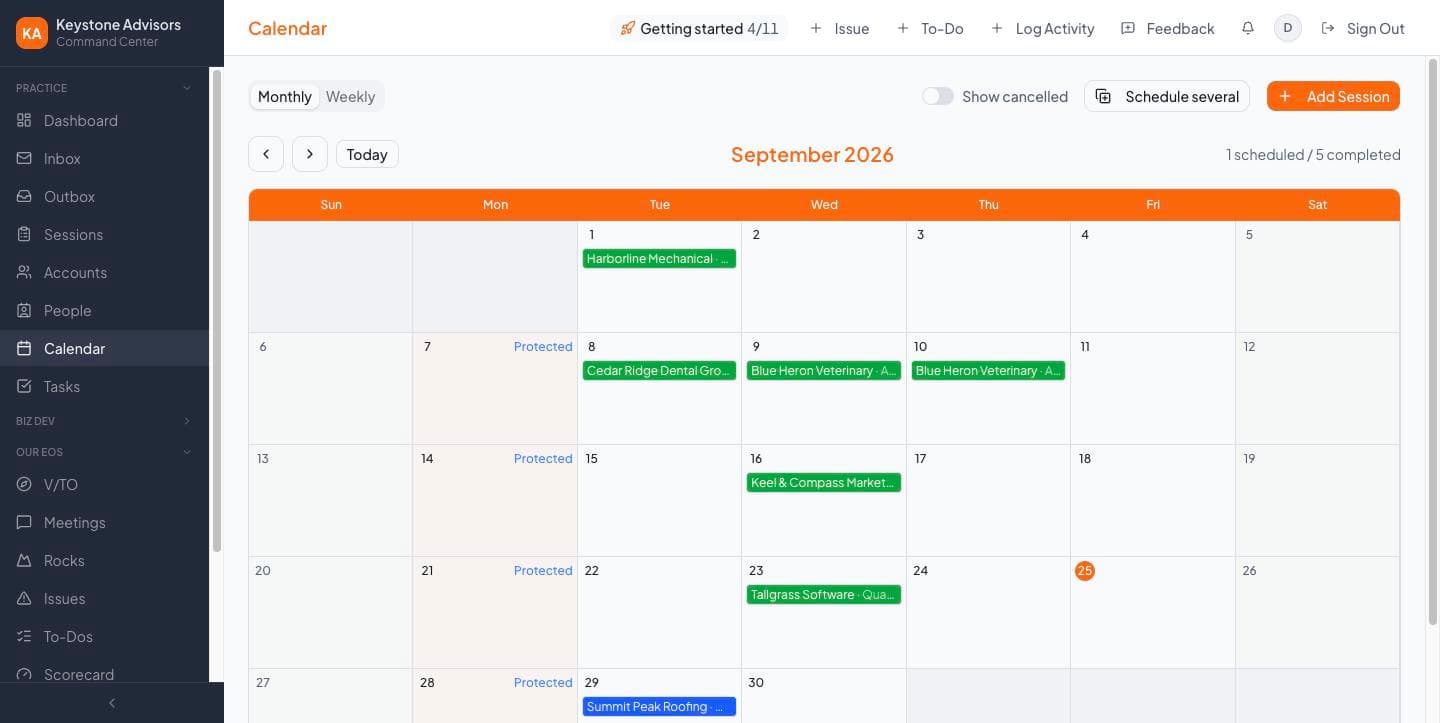
Calendar & sessions
Focus Day through Annual Planning, with travel days and your own protected days built in. Book a whole year of Quarterlies at once.
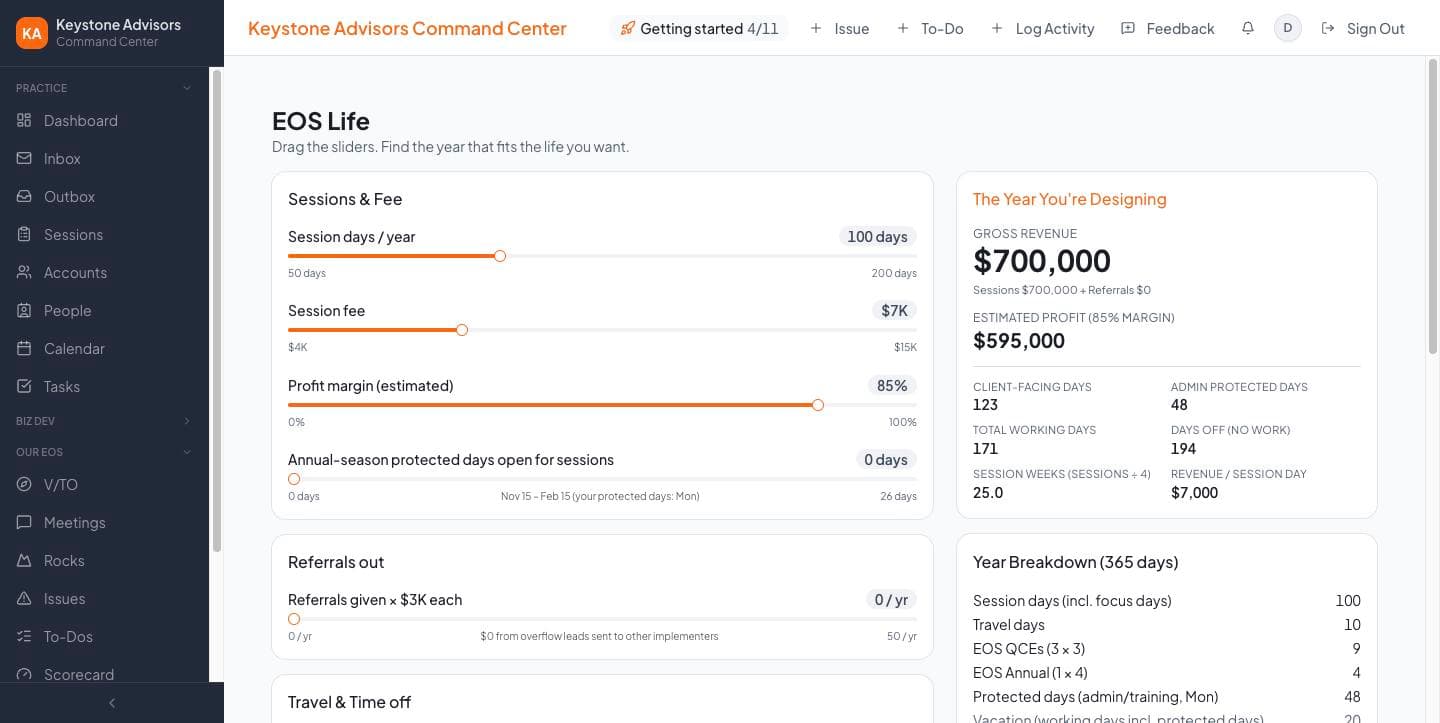
Money & planning
Session and travel fees go straight to QuickBooks. Revenue, capacity, forecast and the EOS Life calculator show where the year is heading.
Getting started
Export three reports from the EOS CRM and import your clients, contacts and past sessions. Duplicates are caught, and one click undoes it.
Getting started walks you through practice details, session days, Gmail, calendar and QuickBooks.
Your practice name and logo, your fees, your days.

“Venzy is the system I run my own EOS practice on every day. When something slows a practice down, it gets fixed.”
Your data
Walled off. Every practice is separate from every other — no shared client lists, ever.
Encrypted connections. Connected accounts use their own secure sign-ins.
You decide access. Choose what each person on your team can see.
Undo and export. Imports can be undone, and your data can be exported.
Private beta
Sign up and set up your practice yourself, or book a demo for hands-on setup with Lyn. Beta practices help shape what gets built next — and when beta ends, you'll get plenty of notice and a founding-practice price before anything changes.
$0during beta
Questions
For running your practice, yes — clients, contacts, pipeline, sessions and follow-up all live in Venzy. The EOS CRM stays your official record with EOS Worldwide, so you still log completed sessions there for designation. Bring your history in from it on day one.
Venzy works without it; invoicing connects to QuickBooks today.
Yes — practice managers can run setup and control what everyone sees.
A Google account for each person. Most Implementers already sign in with their EOS Google account.